
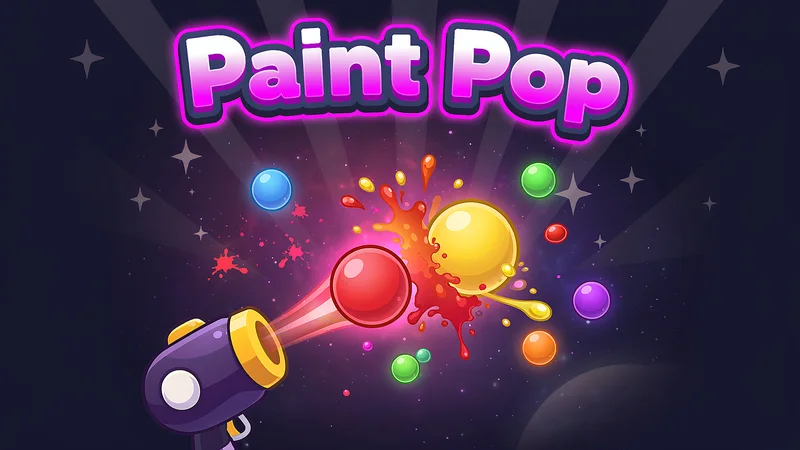
Paint Pop is a bubble shooter with a colourful twist: colours mix. Aim and shoot paint bubbles at the cluster above you. Match three or more of the same colour to pop them, and bubbles that lose their support fall away. The twist is that a primary colour shot at a different primary colour mixes with it. Red meets yellow and the bubble turns orange. Yellow meets blue and you get green. Red meets blue and it becomes purple. Mixing costs a shot but lets you turn a lonely bubble into the colour you need, so every level becomes a small puzzle. Clear every coloured bubble before you run out of shots. All 24 levels are checked by a solver, so each one can be finished.
How to play Paint Pop
- Drag on the screen to aim and release to shoot. On a computer you can also move the mouse and click, or use the arrow keys and Space.
- Match 3 or more bubbles of the same colour to pop them. Bubbles that are no longer connected to the top fall too.
- Shoot a red, yellow or blue bubble at a bubble of a different primary colour to mix them. The bubble you hit changes colour and your shot is used up.
- Red + Yellow = Orange, Yellow + Blue = Green, Red + Blue = Purple. Orange, green and purple only pop with their own colour.
- Tap the NEXT bubble to swap it with the one in the cannon. Clear all coloured bubbles before your shots run out. Grey stone bubbles only fall when they lose their support.
Tips and strategy
- Look for lonely bubbles. One mix can turn a single bubble into the missing third piece of a group.
- The white ring around a bubble while you aim shows that your shot will mix there, and which colour it will make.
- Bounce shots off the side walls to reach bubbles that are hard to hit directly.
- Cutting a group loose from the ceiling pops everything hanging from it. Aim for the bubbles that hold up the biggest clusters.
- Use the swap button. Having the right colour next is often worth a moment of planning.
Controls
| Aim and shoot | Drag and release on touch screens, or move the mouse and click |
|---|---|
| Aim with the keyboard | Left and Right arrow keys, then Space or Enter to shoot |
| Swap bubbles | Tap the NEXT bubble, or press S |
| Letter marks for colours | Aa button at the top |
| Mute | M or the speaker button |
Features
- Colour mixing: red, yellow and blue make orange, green and purple
- 24 hand-checked levels that grow from easy to tricky
- Every level is solved by a computer before it is added, so none is impossible
- Stone bubbles, bounce shots and a swap button
- Three stars for finishing with shots to spare
- Optional letter marks on bubbles to help colour-blind players
- Works with touch and mouse, in portrait and landscape
Game info
- Developer
- Plip Games
- Released
- 2026-11-10
- Last updated
- 2026-11-10
- Platforms
- Desktop and mobile browsers
- Orientation
- Portrait and landscape
- Technology
- HTML5
FAQ
Is Paint Pop free?
Yes. It is free to play in your browser with no download or sign-up.
How does mixing work?
Shoot a red, yellow or blue bubble so that it first touches a bubble of a different primary colour. That bubble turns into the mix colour and your shot is used up. A guide ring shows you when a shot will mix.
Can every level be finished?
Yes. Each level was solved by a computer before it was added, using only the shots you are given.
What do the stars mean?
You get more stars for finishing a level with more shots left over.
Is my progress saved?
Yes. Your stars are saved in your browser on this device.
Comments
Comments are public. Please do not share personal information. Press Report on anything that does not belong here.